Christmas snow portrait prompt magic starts here. If you have ever wanted a breathtaking winter portrait with soft falling snow, glowing holiday lights, and that cozy Christmas morning feeling — without hiring a photographer or waiting for real snow — this free AI prompt does it in seconds.
Winter portraits have a special charm. The cool blue tones of snow, the warm glow of Christmas lights, and the crisp festive air create images that feel both elegant and heartwarming. With this christmas snow portrait prompt, you can transform any ordinary photo into a stunning winter wonderland portrait that looks like it was shot by a professional during a snowfall.
The best part? You do not need any photo editing skills. Just copy the prompt below, paste it into ChatGPT, Gemini, or Grok along with your photo, and let the AI work its magic. The result is a high-quality Christmas snow portrait with realistic snowfall, beautiful lighting, and festive details — perfect for holiday cards, social media, or framing as a gift.
This prompt is designed to keep your face natural and recognizable while adding a magical winter scene around you. The AI preserves your features, skin tone, and expression, then builds a dreamy snowy backdrop with Christmas trees, twinkling lights, and softly falling snowflakes. It is the easiest way to get a professional-looking winter portrait without leaving your home.
Whether you want a solo portrait, a family Christmas photo, or a romantic winter couple shot, this christmas snow portrait prompt adapts to your needs. It works with selfies, full-body photos, and group pictures. The prompt includes specific instructions for lighting, snow effects, and holiday atmosphere to ensure consistent, beautiful results every time.
Ready to create your winter wonderland? Scroll down to copy the prompt, then launch it in your favorite AI tool. It is 100% free, no signup required, and you can use it as many times as you like.
Christmas Snow – Winter Wonderland Portrait Prompt
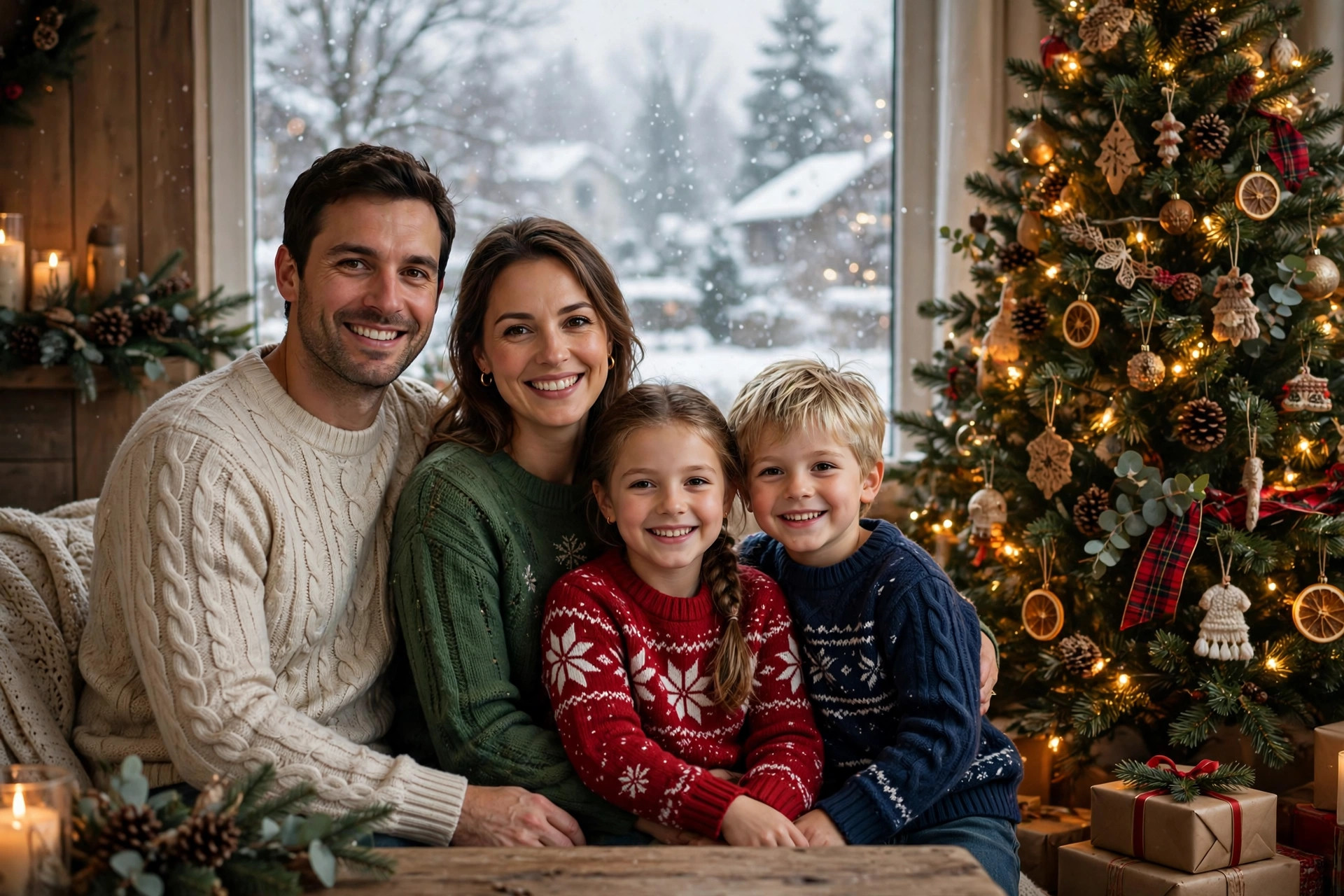
Transform this photo into a magical Christmas snow portrait. Keep the person's face, features, skin tone, and expression exactly the same and natural. Place them in a beautiful winter wonderland scene with softly falling snowflakes, snow-covered pine trees in the background, and warm glowing Christmas lights. Add a cozy festive atmosphere with gentle bokeh light effects, cool blue winter tones balanced with warm golden highlights. The person should wear elegant winter clothing like a stylish coat or festive sweater. Soft diffused lighting on the face, professional portrait photography style, ultra-detailed, 8k quality. Make it look like a real professional winter photoshoot, not artificial.
📷 Photography Tip: For the most realistic snow portrait, start with a photo taken in soft natural light facing a window. Avoid harsh overhead lighting or strong shadows. The AI blends winter elements more naturally when your original photo has even, soft illumination. If your photo was taken outdoors on an overcast day, even better — the flat lighting matches winter conditions perfectly. Also, wear solid colors rather than busy patterns; the AI can then focus on adding snow and lights without competing visual noise. A simple dark coat or red sweater photographs beautifully against a snowy backdrop.
How to use this christmas snow portrait prompt
- Copy the prompt – Click the “Copy Prompt” button above. You’ll see a green “Copied!” confirmation.
- Pick your AI tool – Open ChatGPT, Gemini, or Grok. All three handle image editing prompts well.
- Upload your photo – Attach a clear photo of yourself, then paste the copied prompt. The AI will generate your winter wonderland portrait in under a minute.
- Download and share – Save your Christmas snow portrait and share it on social media, use it as a holiday card, or print it as a gift. No watermarks, no fees.
FAQs about this christmas snow portrait prompt
Will the AI keep my face looking natural?
Yes. The prompt specifically instructs the AI to preserve your facial features, skin tone, and expression exactly. The winter scene is built around you, not over you. If you notice any distortion, try a clearer source photo with good lighting.
Can I use this for family or couple photos?
Absolutely. The prompt works with group photos too. The AI will place everyone in the same snowy scene while keeping each person recognizable. For best results, use a photo where everyone is clearly visible and well-lit.
Do I need a paid AI subscription?
No. All three tools — ChatGPT, Gemini, and Grok — offer free tiers that support image uploads and editing prompts. You can create unlimited Christmas snow portraits without paying anything.
Can I customize the winter scene?
Yes. After pasting the prompt, you can add your own details like “add a reindeer in the background” or “make the snow heavier.” The AI will incorporate your additions while keeping the core winter portrait style.